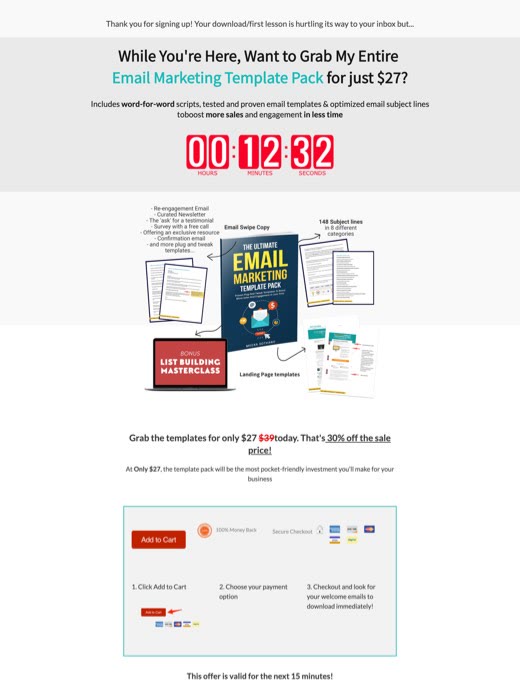
An upsell or order bump offers an extra product right before or after the first purchase. A checkbox on the checkout page. A one-time offer after payment. A monthly add-on with one button and a polite 'no thanks'. The buyer has just said yes, so a related extra feels like a small next step. The swipes below show bumps, post-purchase upsells and how they are worded.
The hardest sale is the first one. Once the buyer has decided to pay, a related extra is a much smaller decision. An order bump sits on the checkout page as a simple checkbox with one line and a price. A post-purchase upsell appears right after payment, often as a one-time deal. Both work best when the extra clearly helps with the thing just bought, like templates for a course on posting. Keep them short: one image, one price, one button. Always include an easy decline. A clear 'no thanks' link keeps goodwill. Upsells that feel endless or hide the decline turn a happy buyer into an annoyed one.
2How to use it in your copy
Pick an extra that helps with what the buyer just bought.
Describe it in one or two plain lines.
Show one price, with any discount stated clearly.
Use one button or checkbox to accept.
Give an easy, polite way to decline.
3Mistakes to avoid
Offering an upsell unrelated to the first purchase.
Stacking so many upsells that the buyer feels trapped.
One saved ad, email or sales page every week, with a short note on why it works and how to use the idea in your own copy. Free, one email, unsubscribe any time.
Sent with Systeme.io, which we also recommend for building pages like these.

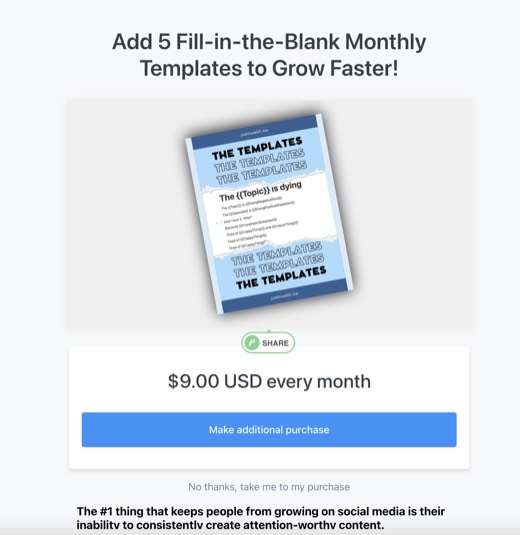 Justin Welsh's $9 monthly templates upsellOne product image, one $9 price, one button and a polite decline link make the post-purchase offer easy to judge.
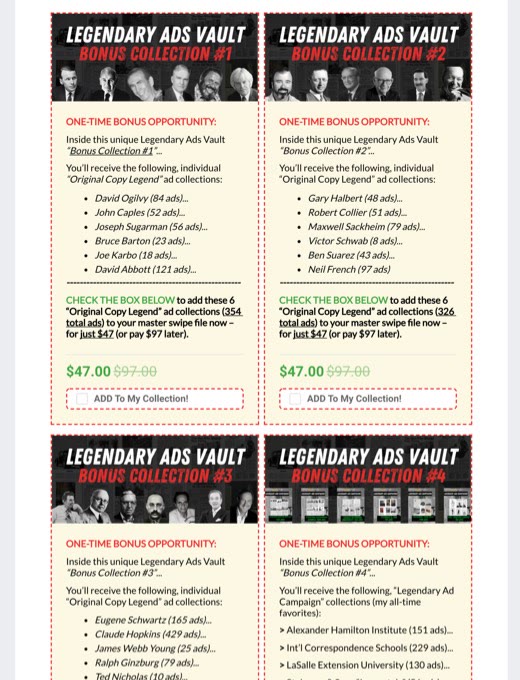 Copy Legends' one-time bonus offer stackFour near-identical bonus boxes with crossed-out prices and checkboxes make adding an extra feel like one tick.
 Troy Casey's Ripped at 50 Deluxe upsellA struck-through $300 price, a $149 today-only line and long testimonials push a one-time deluxe upgrade.