1How waitlist works
When something is not available yet, people need a reason to commit their email now rather than come back later. A clear promise and a stated opening date give them one. Joining a list also signals interest, and people who sign up early often feel part of the launch. The page itself should be simple. A short headline, a few lines or a visual of what the offer will be, and one repeated button. Some waitlists frame the brand against alternatives to give people a side to join. After signing up, a thank-you page can confirm the date and set expectations.
2How to use it in your copy
- Write one short promise of what is coming.
- Show a preview: the system, the map or the key benefit.
- State the opening date or month if you know it.
- Use one repeated join button.
- Confirm the date and next step after sign-up.
3Mistakes to avoid
- Asking people to join with no idea what they will get.
- Leaving the waitlist without updates until launch.
- Giving no date at all, so the list goes cold.
4Three examples, and what they do
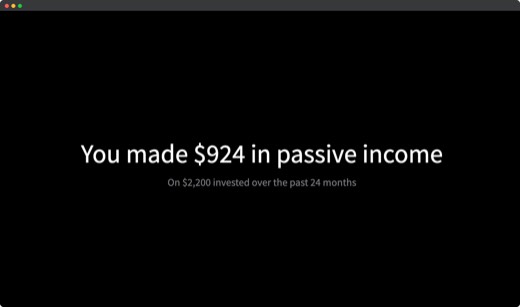 Steady's commercial real estate waitlist pageA statistic question, a $100 entry price and a tortoise-versus-hype frame sit around one repeated waitlist button.
 Vanessa Lau's Creator Supercharged waitlist pageA short promise, a four-part system and a stated opening date create anticipation behind one green button.
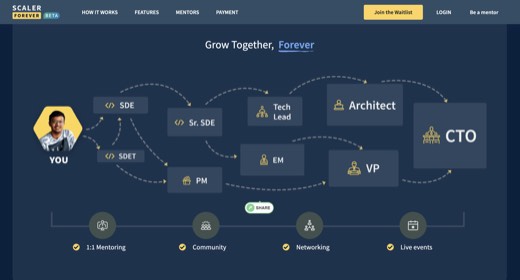 Scaler Forever career path diagramA career map shows the whole future offer, with the waitlist button at the top.
5Questions
What should a waitlist page include?
A short promise, a preview of the offer and a reason to join now. Add one sign-up button and the opening date if you have one.
How do I keep a waitlist warm?
Send short updates before launch, such as previews or behind-the-scenes notes. Confirm the date as it gets closer.
Should waitlist members get a perk?
It helps. Early access, a founding price or a bonus gives people a reason to join now rather than wait.