1How trial timeline works
Many people avoid free trials because they expect to forget and get charged. A timeline removes that fear by showing exactly what happens and when. It is usually three steps drawn as a vertical line with icons: today, reminder, charge. Naming the reminder is the key part. It tells the user the company will warn them, which feels fair. Adding the exact charge date and amount makes it concrete. A timeline also sets expectations for the user's own behaviour, as it hints that the trial has a beginning and end worth using. Some paywalls layer a plan choice on top, so the timeline updates with the chosen price.
2How to use it in your copy
- Show three steps: today, reminder and charge.
- Give the exact day of the reminder and the charge.
- State the amount that will be charged.
- Send the reminder you promised.
- Keep the start button directly below the timeline.
3Mistakes to avoid
- Promising a reminder and then not sending it.
- Leaving out the charge amount or date.
- Cluttering the timeline with marketing claims.
4Three examples, and what they do
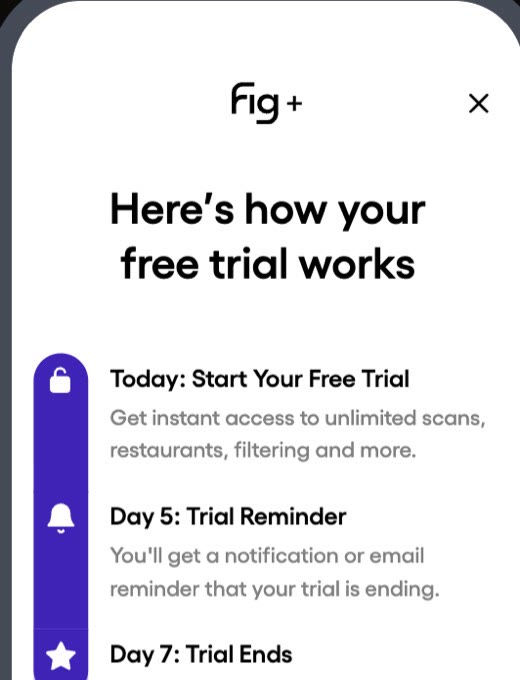 Fig Free Trial Timeline PaywallIt states exactly when the trial starts, when the reminder lands and the charge date, removing fear of a surprise bill.
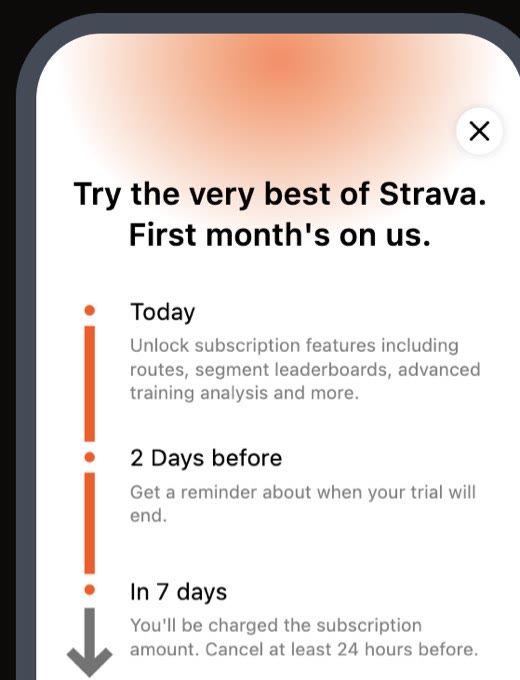 Strava First Month On Us PaywallThree steps, today, the reminder and the charge in seven days, make starting a trial feel safe.
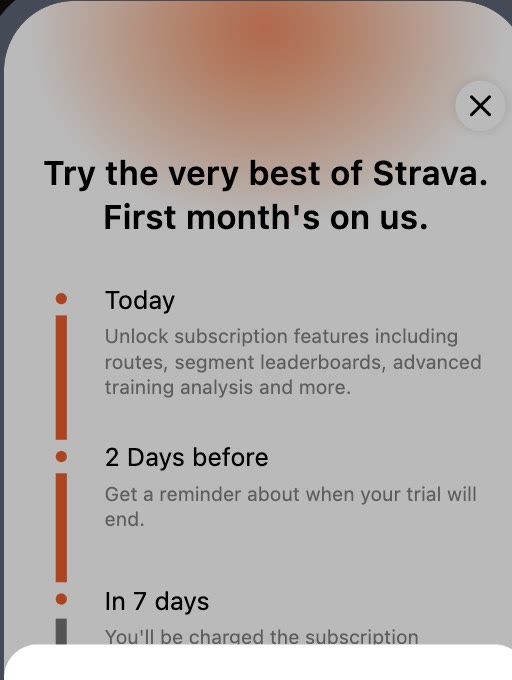 Strava Annual Or Monthly Trial ChoiceA plan choice is layered over the trial story, with a Save 67% badge on annual and an exact first charge date.
5Questions
What is a trial timeline on a paywall?
It is a short visual on the paywall screen. It shows when a free trial starts, when the user gets a reminder and when the first charge happens.
Does a trial timeline reduce sign-ups?
It often does the opposite, because it removes the fear of being charged by surprise. Exact results depend on the app and audience.
When should the reminder be sent?
A day or two before the charge is common. The timeline should state the exact day, and the app should keep that promise.